How to Increase Instagram Engagement in 2026 (Likes, Comments, Saves)
Learn how to increase Instagram engagement in 2026. Proven tactics to get more likes, comments, saves, and shares — and why each engagement type matters differently.
Why Engagement Matters More Than Follower Count
A 10K account with 8% engagement outperforms a 100K account with 0.5% engagement — in reach, brand deal value, and audience loyalty.
Instagram's algorithm distributes content based on engagement signals, not follower count. High engagement tells the algorithm your content is worth showing to more people. Low engagement, regardless of how many followers you have, results in limited distribution.
But not all engagement is equal. Here's how Instagram weighs each type:
| Engagement type | Algorithm weight |
|---|---|
| Saves | Highest |
| Shares | Very high |
| Comments | High |
| Likes | Moderate |
| Profile visits from post | High |
| Replies to Stories | Very high |
Saves and shares are the most powerful signals. Content that gets saved is content people want to return to — a strong quality signal. Content that gets shared is content people want others to see — a reach multiplier.
1. Create Save-Worthy Content
The single highest-impact change you can make: shift your content from entertainment to save-worthy utility.
Content people save:
- Step-by-step tutorials (save to refer to later)
- Checklists and how-to guides
- "Swipe for the full breakdown" carousels on complex topics
- Reference resources ("10 tools I actually use")
- Before/after transformations
End posts with "Save this for later" — a direct, specific CTA. Generic CTAs like "let me know what you think" generate fewer saves than explicit save requests.
2. Write Captions That Invite Comments
Comments come when you explicitly ask for them and make it easy to respond.
High-comment caption tactics:
- Direct questions — "Which of these would you try first?" gets more comments than "Hope you enjoy this!"
- Fill in the blank — "The best advice I got about [topic] was ___ " — frictionless to complete
- Controversial opinion — "Hot take: [your opinion]" — invites both agreement and respectful debate
- This or that — "Team A or Team B?" — one of the simplest engagement triggers
- Invite a story — "Tell me about a time you [relatable situation]"
Reply to every comment, especially within the first hour. Each reply adds a comment count signal and often prompts a reply back — doubling the comment thread.
3. Post Carousels for Maximum Engagement
Carousels consistently outperform single images for engagement across all metrics. Why:
- People swipe through = more time spent on your post
- Each swipe is a micro-engagement signal
- The "swipe for more" mechanic increases curiosity
- Instagram re-shows carousels to people who didn't fully swipe through
High-performing carousel formats:
- Numbered lists ("7 things you didn't know about [topic]")
- Step-by-step guides
- Before and after (with explanation slides between)
- "Myth vs. Fact" series
- Stats and data visualizations
First slide must earn the swipe — treat it like a hook. Last slide should have a clear CTA.
4. Use Stories to Drive Engagement Daily
Stories don't affect your main feed's engagement metrics directly, but they keep your account top of mind and drive the profile activity that supports overall engagement rates.
High-engagement Story formats:
- Polls — the simplest engagement tool on Instagram; tap rate is extremely high
- Questions sticker — ask your audience anything; respond to answers to continue the conversation
- Slider emoji reaction — quick, frictionless engagement
- Quiz sticker — educational accounts use this extremely effectively
- Countdown — builds anticipation for launches, posts, events
Reply to every DM that comes from Stories. Story replies start a direct conversation — the highest quality engagement Instagram offers.
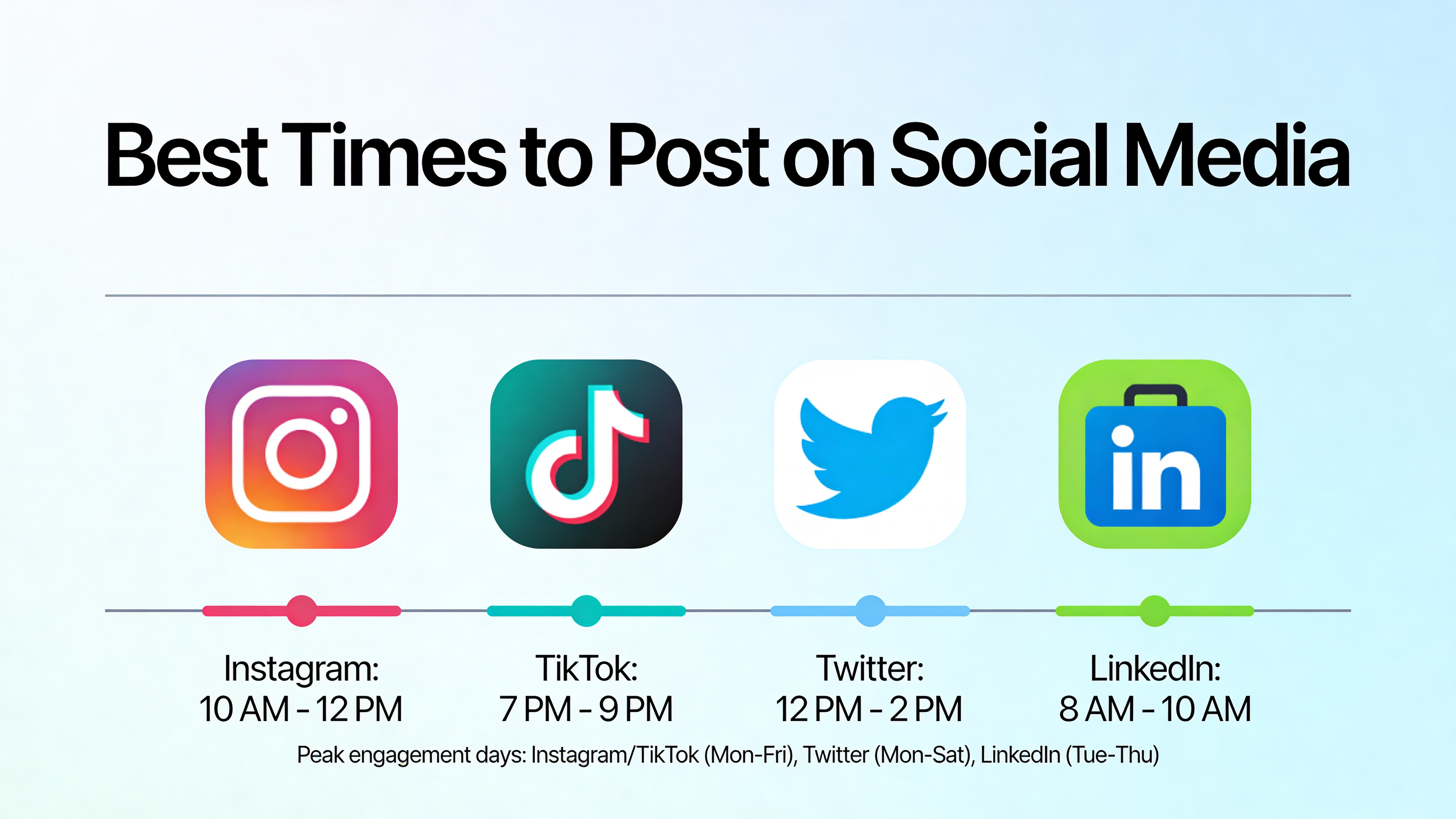
5. Post at Peak Times (and Schedule in Advance)
Engagement starts with reach. If your post goes live when your audience is offline, it misses the initial distribution window that drives all subsequent engagement.
Best general windows: 9–11 AM and 6–9 PM in your audience's time zone.
Check Instagram Insights → Audience → Most active times for your specific audience's peak hours. Then use PostLink's Instagram scheduler to schedule posts to publish automatically at those windows — you don't need to be online at 9 AM to hit the morning peak.
6. Engage With Others in Your Niche
Engagement is a two-way street. Accounts that receive engagement tend to be accounts that give it.
What to do:
- Leave genuine, thoughtful comments on 10–15 posts per day in your niche
- Reply to comments on your posts quickly
- Engage with accounts that have audiences similar to your target audience
The algorithm notices accounts you regularly engage with and increases the likelihood of showing your content to their followers.
7. Use Reels for Discovery, Feed Posts for Engagement
Different formats serve different purposes on Instagram:
Reels — reach new audiences (discovery) Feed posts/carousels — drive saves and comments from existing followers Stories — build daily engagement with current followers
A common mistake: posting only Reels and expecting high comment rates. Reels get reach but drive fewer comments per impression than carousels. For maximum engagement rate, use carousels for your depth content and Reels for discovery.
8. Collaborate With Other Creators
Instagram's Collab feature lets two accounts co-author a post — both accounts' followings see it. This doubles exposure and typically drives higher engagement because followers of both accounts are discovering "new" content.
How to collab:
- Create a post and invite a collaborator
- The collaborator accepts and it appears on both profiles simultaneously
- Comments and likes are pooled
Partner with accounts in adjacent (not directly competing) niches that serve a similar audience.
9. Respond to Every Comment (Especially Early)
Engagement begets engagement. When your post is new, every comment you respond to:
- Adds to the comment count (which Instagram shows in the feed — higher counts attract more engagement)
- Notifies the original commenter to come back
- Signals to the algorithm that the post is generating active conversation
Set a reminder to check your latest post 30 minutes after it goes live and respond to all early comments. This single habit consistently improves engagement rates.
10. Audit and Remove Low-Performing Content
Instagram's algorithm considers your overall account engagement rate, not just individual posts. Posts that consistently underperform drag your average down, which can limit how widely Instagram distributes your other content.
Review your last 30 posts. If certain post types consistently underperform (below your average engagement rate), stop making them. The content that's working is what your audience wants — make more of that.
Engagement Rate Benchmarks (2026)
| Account size | Good engagement rate |
|---|---|
| Under 10K | 5–8% |
| 10K–100K | 2–5% |
| 100K–1M | 1–3% |
| 1M+ | 0.5–1.5% |
Calculate yours: (total engagements ÷ followers) × 100 on your last 10 posts, then average.
Summary
To increase Instagram engagement in 2026:
- Create save-worthy content — guides, checklists, step-by-step carousels
- Write captions that ask direct questions or invite fill-in-the-blank responses
- Post carousels for the highest engagement rate per impression
- Use Stories daily with polls, questions, and quiz stickers
- Post at peak times — use PostLink to schedule automatically
- Engage with 10–15 accounts in your niche daily
- Reply to every comment within the first hour
- Collab with creators in adjacent niches
- Audit low performers and cut content types that consistently underperform