Social Media Scheduling: The Complete Guide for Beginners
Everything you need to know about scheduling social media posts — why it matters, how to do it, and the best tools to use in 2026.
What Is Social Media Scheduling?
Social media scheduling means planning and queuing your posts in advance so they publish automatically at a set date and time. Instead of manually opening each app and posting in real time, you prepare everything ahead and let a tool handle the publishing.
It's one of the simplest changes you can make to your social media workflow — and one of the most impactful.
Why Schedule Your Posts?
1. Consistency Without Burnout
The number one rule of social media growth is consistency. Algorithms reward accounts that post regularly. But posting every day — or multiple times a day — is exhausting when you do it manually.
Scheduling lets you batch your work. Spend a few hours on Monday creating and scheduling the week's content, then forget about it until next week.
2. Post at Optimal Times
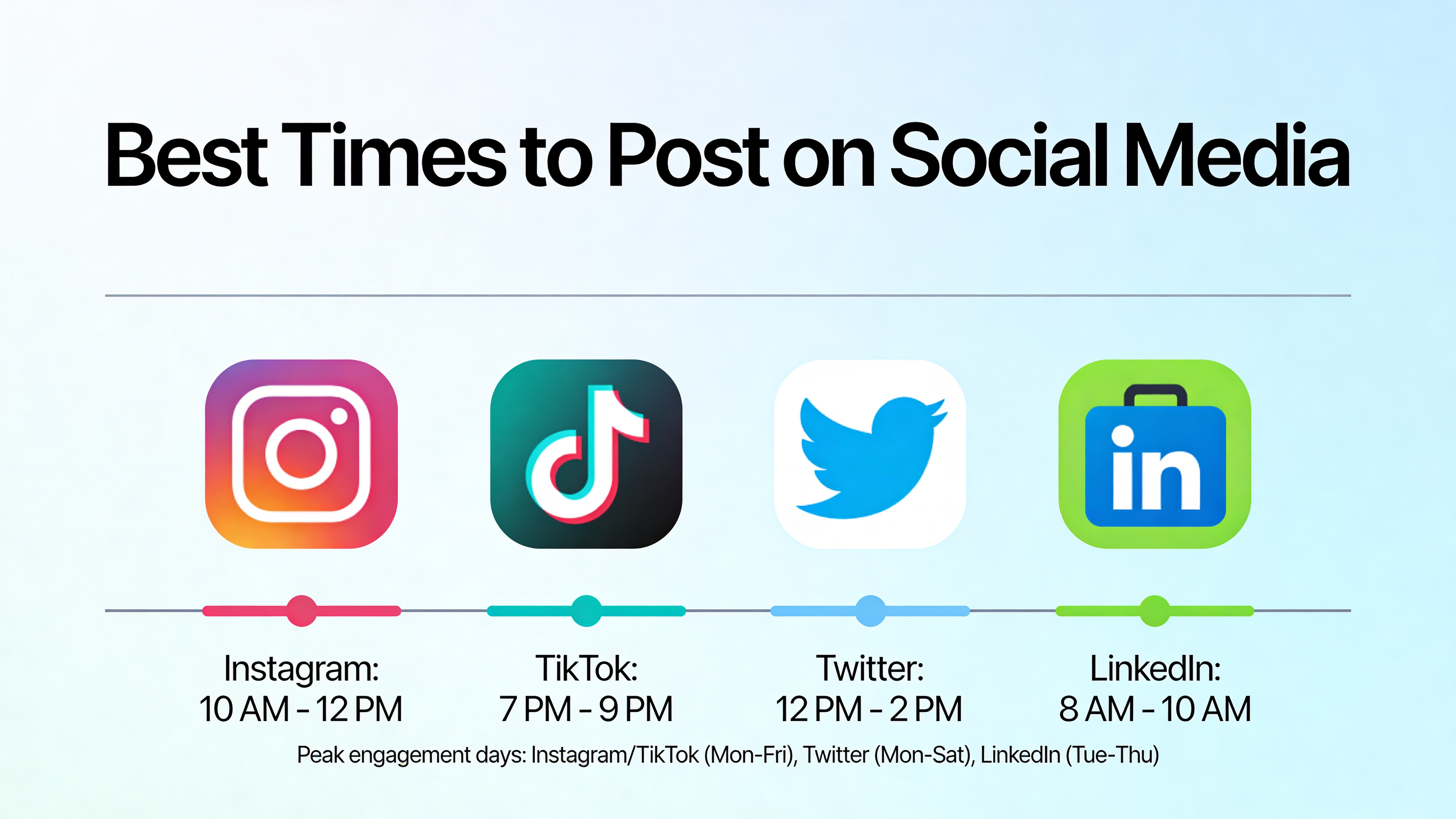
Your audience might be most active at 7 PM, but you might be busy with dinner or family time. Scheduling ensures your content goes live at peak engagement hours regardless of your personal schedule.
3. Maintain Quality
When you're rushing to post something because "it's been three days since my last post," quality suffers. Scheduling gives you time to plan, edit, and refine your content before it goes live.
4. Manage Multiple Platforms
If you're active on YouTube, TikTok, Instagram, and Facebook, posting manually to all four every day is a part-time job. Scheduling tools let you handle all platforms from one place.
How to Start Scheduling Your Content
Step 1: Create a Content Calendar
Before you schedule anything, plan what you're going to post. A simple content calendar can be as basic as a spreadsheet with columns for:
- Date — When it will be published
- Platform — Where it will be posted
- Content type — Video, image, story, reel
- Caption — The text that accompanies the post
- Status — Draft, ready, scheduled, published
Step 2: Batch Create Your Content
Instead of creating one post at a time, set aside dedicated time to create multiple pieces of content at once. Many successful creators film 5-10 videos in a single session, then schedule them throughout the week.
Batching is more efficient because you stay in "creation mode" instead of constantly switching between creating and publishing.
Step 3: Choose a Scheduling Tool
You need a tool that connects to your social media accounts and publishes on your behalf. When choosing a tool, consider:
- Platform support — Does it work with all the platforms you use?
- Ease of use — Can you schedule a post in under a minute?
- Reliability — Will it actually publish on time, every time?
- Price — Does it fit your budget?
PostLink is designed to be the simplest option: upload your content once, choose your platforms, pick a time, and you're done. It supports YouTube, TikTok, Instagram, Facebook, and more.
Step 4: Schedule and Review
Once your content is created and your tool is set up, schedule your posts for the week. Before confirming, review:
- Are the captions correct and free of typos?
- Are you posting at the right times for each platform?
- Is the content appropriate for each platform's audience?
Step 5: Monitor and Adjust
After your scheduled posts go live, check the results. Which posts performed best? What times got the most engagement? Use these insights to refine your strategy for next week.
Common Scheduling Mistakes to Avoid
Scheduling Too Far in Advance
Planning two weeks ahead is smart. Planning two months ahead is risky. Trends change, news happens, and content that felt relevant in January might feel outdated by March. Schedule one to two weeks at a time and leave room for spontaneous posts.
Ignoring Platform Differences
A caption that works on Instagram might not work on TikTok. Always review your content for each platform before scheduling. At minimum, adjust your hashtags — each platform has different hashtag cultures and limits.
Set It and Forget It Completely
Scheduling saves time on publishing, but social media still requires engagement. Reply to comments, respond to DMs, and interact with your community. Scheduling handles the output; you still need to handle the input.
Posting the Same Content Everywhere Without Thought
Cross-posting is efficient, but blindly copying content across platforms can feel lazy to your audience. Small tweaks — a different caption opening, platform-specific hashtags, or a slightly different crop — make cross-posted content feel native to each platform.
How Much Time Can Scheduling Save?
A typical creator posting daily to four platforms spends about 40 minutes per day on uploading and publishing alone. That's nearly 5 hours per week, or 20 hours per month.
With scheduling, that same workflow takes about 2-3 hours per week in a single batch session. That's a time savings of roughly 50-60%, giving you back hours every week to focus on what actually matters: creating great content.
Getting Started Is Easy
You don't need a complex setup to start scheduling. Pick one tool, connect your accounts, and schedule your next week of content. Start small — even scheduling three days ahead is better than posting manually every day.
PostLink makes this particularly easy: connect your accounts in minutes, upload your content, pick your times, and let us handle the rest. No learning curve, no complicated dashboards — just simple scheduling that works.